 Account owner
Your business
MMV subscriber. Creates vaults, invites people, and controls the workflow.
Software for businesses that serve clients
Memory Media Vault helps businesses collect, organize, review, deliver, and preserve media for their own clients through secure branded vaults and galleries.

Who it is for
Photographers, videographers, studios, agencies, funeral homes, schools, churches, event professionals, real-estate media teams, and organizations subscribe. They collect, organize, review, deliver, share, or preserve media for their own clients, families, participants, or communities. This is not a consumer photo-storage product.

How it works for your business
Memory Media Vault is B2B2C software. The paying account owner is the business. Clients and guests enter the experience you create. They do not become MMV subscribers.
Your clients and guests do not need their own paid Memory Media Vault subscription.
Account owner
MMV subscriber. Creates vaults, invites people, and controls the workflow.
 Your client
Accesses approved media under your brand. No separate MMV plan.
Guests and contributors upload only when the account owner enables it. They do not need paid MMV accounts.
Choose the MMV plan that fits your business. You are the paying subscriber.
Open a secure vault or project for a customer, family, event, organization, or media assignment.
Give the customer access to their secure client experience. They do not buy MMV.
When enabled, invited guests can upload media into that vault.
You and authorized team members organize, review, approve, feature, hide, and prepare delivery.
Your client views approved media in their portal or branded gallery, then you archive the vault.
The business or professional that holds the MMV plan, owns the customer relationship, and controls the vault.
People the account owner adds to help organize, review, and deliver—without a separate customer plan.
The person or organization you serve. They use the portal you create. They are not an MMV subscriber.
Uploads or participates only with permission. No paid MMV subscription.
Media workflow
This workflow lives in the subscriber’s Memory Media Vault environment. The account owner controls visibility, review state, sharing, downloads, branding, and archive status.

Create the vault, invite the client, collect media, organize, review, approve, manage delivery, and control permissions.
Access their vault, contribute when permitted, view or review, receive approved media, share, and download when allowed.
Upload or participate only when invited and permitted by the account owner.
Industry use cases
Each industry below is a business using Memory Media Vault to serve its own clients. The software stays the same.
Core features
Create, edit, and archive a vault for each client or assignment from one subscriber account.
Give each customer a controlled room. They use your experience, not a separate MMV plan.
Invite contributors when you enable it. Guests do not need paid MMV subscriptions.
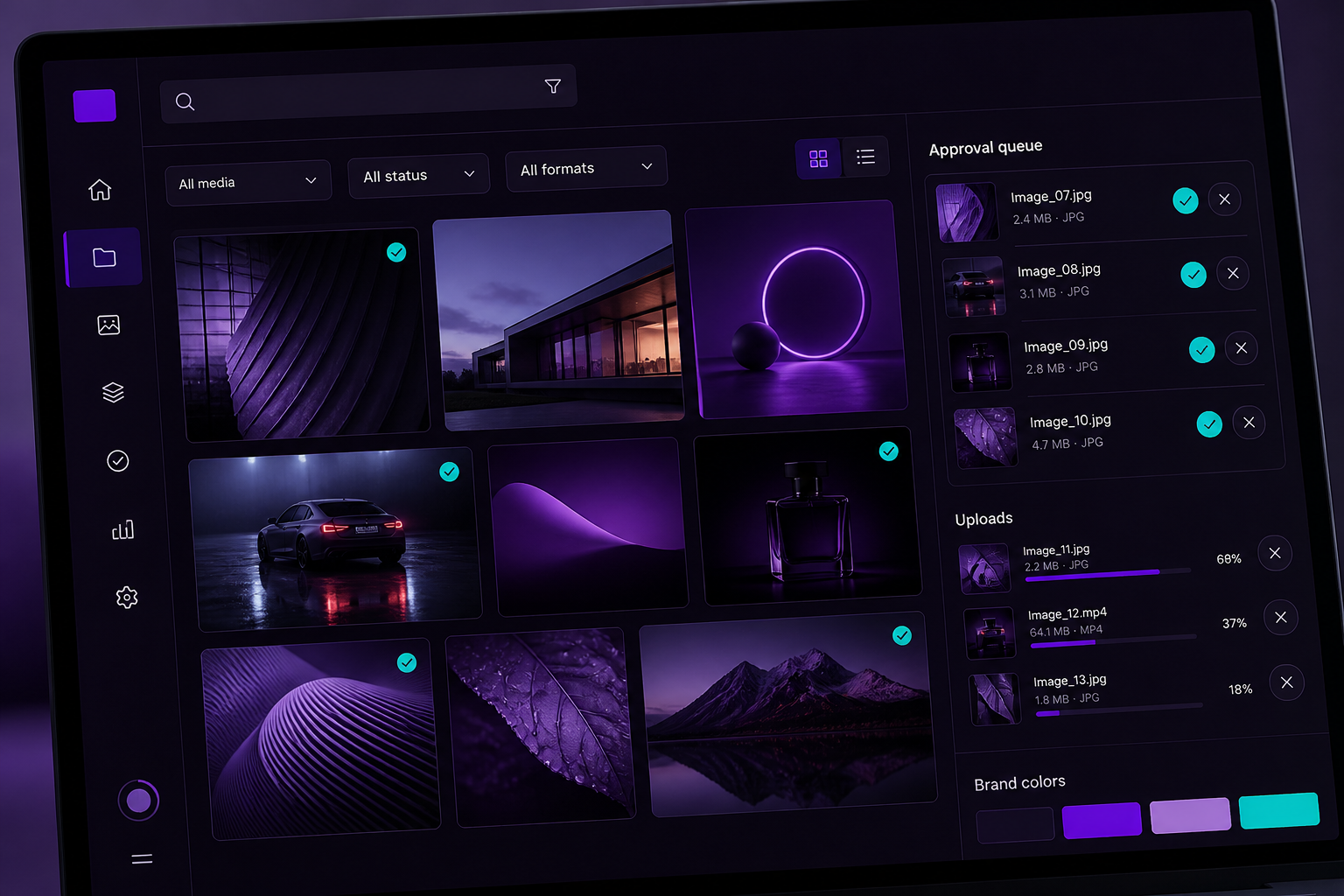
Review, approve, reject, feature, or hide media before the client sees the finished set.
Present approved work as a gallery that belongs to your business, not a file dump.
Account owners set who can view and receive delivered media. Secure expiring share links and bulk download are coming soon.
Clients can mark selected images so the business can see what they want to keep.
Account owners can apply text or logo watermarks to still images before client delivery.
Coming soon. Video watermarking is not available in this launch.
Keep completed client media in an organized vault instead of scattered folders.
Track what you hold against the limits of the plan you pay for.
Invite staff to the subscriber workspace with standard roles.
Logo, approved colors, and portal presentation on the existing platform. Branded emails and custom-domain login are planned.
Secure client portals
You create the portal. You decide who enters, what they see, whether guest upload is on, and when media can be downloaded or archived. It should feel like your business, not a consumer Memory Media Vault account.
White label
Branding is packaged by plan, not sold as a separate add-on. Essential is Business Branding with MMV identity visible. Professional is Enhanced Branding: business logo and approved colors, with MMV identity still visible. Studio and Enterprise include Full White-Label Branding. Custom-domain mapping and branded emails are planned. This is configuration of the MMV platform, not custom software.

Benefits

Comparison
Security

Media is protected at rest and in transit.
Account owner, team member, client, and guest each see the surface they are allowed to see.
Resilience designed for irreplaceable client work.
You grant access, visibility, downloads, and archive status.
Higher Enterprise limits use the same Memory Media Vault product.
Humans who understand delivery operations.
Pricing
Plans cover the business account: storage, Client Records, active vaults, team seats, and branding. Allowances come from the current sellable catalog. Clients and guests do not purchase separate Memory Media Vault subscriptions.
Loading current sellable plans…
Enterprise
The subscriber’s clients experience the business they hired. Memory Media Vault stays behind the scenes.
Custom
Contact Sales for plan, usage level, and standard configuration—not custom software development. Enterprise is not sold through ordinary Checkout.
| Capability | Essential | Professional | Studio | Enterprise |
|---|---|---|---|---|
| Monthly price | Custom | |||
| Storage | Custom | |||
| Client Records | Custom | |||
| Active Vaults | Custom | |||
| Team seats | Custom | |||
| Branding | Full White-Label Branding | |||
| Client Portal | LIVE | LIVE | LIVE | LIVE |
| Guest Uploads | LIVE | LIVE | LIVE | LIVE |
| Favorites | LIVE | LIVE | LIVE | LIVE |
| Photo and video media | LIVE | LIVE | LIVE | LIVE |
| Review workflow | LIVE | LIVE | LIVE | LIVE |
| Image Watermark Controls | LIVE | LIVE | LIVE | LIVE |
Soon
A reserved gallery for studio, agency, school, and enterprise testimonials once launch interviews are complete.
Reserved for standard platform connections as they ship. Partnerships add logos here; this is not a promise of customer-specific integration work.
A future partner program module for educators, associations, and technology alliances.
FAQ
The business or professional is the paying subscriber and account owner. Clients and invited guests use vaults the subscriber creates. They do not need their own paid Memory Media Vault subscription.
It is the room your customer uses to view, contribute when allowed, download, and share delivered media. Memory Media Vault is the subscriber platform that creates those rooms.
It is media delivery software for any business that serves clients with photos, video, or mixed media—not a photography-only product.
Studio and Enterprise include Full White-Label Branding on the current platform. Essential and Professional keep MMV identity visible. Custom-domain mapping and branded emails are planned.
Storage holds files. Memory Media Vault is a client vault with permissions, review, branded delivery, and archive—controlled by the subscriber.
Yes. The agency is the subscriber. Each client gets a vault. Contributors upload only when invited. This is not custom workflow development.
Yes. Those organizations subscribe and create vaults for families, members, or participants. The people they serve do not buy MMV separately.
Memory Media Vault is a paid monthly subscription. There is no free trial. Choose Essential, Professional, or Studio to start Checkout. Enterprise is Contact Sales only. Annual billing, coupons, and storage add-ons are not available yet.
Upgrades take effect after payment confirmation; proration may apply. Downgrades take effect at the next renewal. Cancellation takes effect at the end of the paid billing period. Existing media is not automatically deleted.
No. Memory Media Vault is one scalable platform. Enterprise customers receive higher limits, branding, onboarding, and support using capabilities already in the product. Contact Sales to determine the right plan, usage level, and standard configuration—not bespoke features or one-off builds.

Lead capture
Newsletter for operators who want a quieter, more professional delivery stack.